Website Resources
-
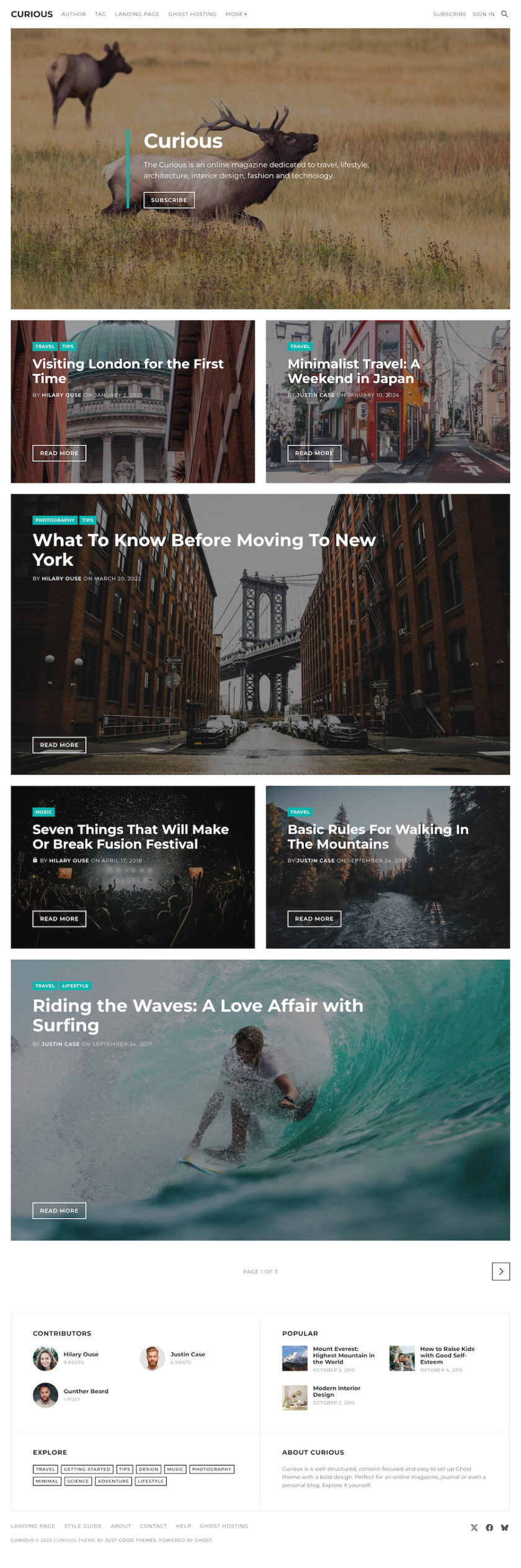
Curious
Curious delivers a clean, bold, and content-focused experience for Ghost-powered magazines, journals, and personal blogs, blending modern typography with effortless setup. This lightweight theme excels in readability and speed, harnessing native Ghost features for memberships, subscriptions, and SEO optimization—complete with dark/light modes, widget-rich sidebars, and translation readiness for a polished,…
-
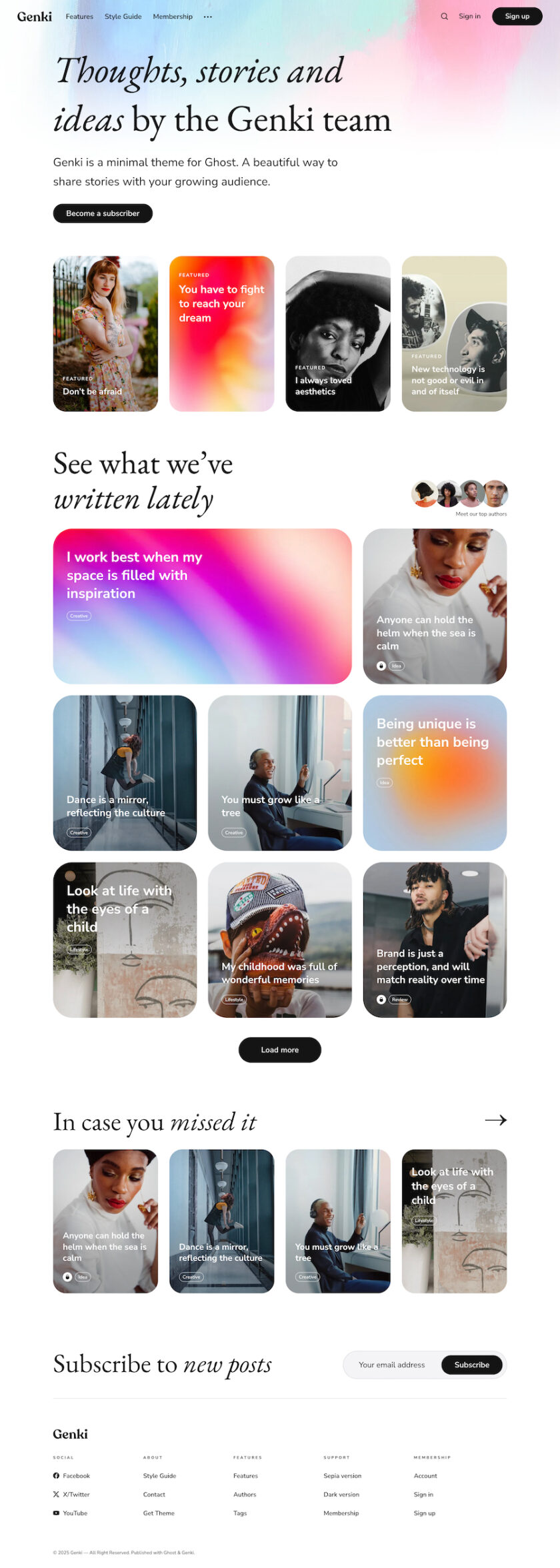
Genki
Genki energizes Ghost blogging with a vibrant, magazine-style aesthetic that’s lightweight and infinitely tweakable, ideal for news sites, personal journals, and creative portfolios. This responsive gem harnesses Ghost’s core for memberships, newsletters, and SEO supremacy, featuring multiple layouts, automatic dark/light modes, and effortless customizations like tag-based sections and social feeds—all…
-
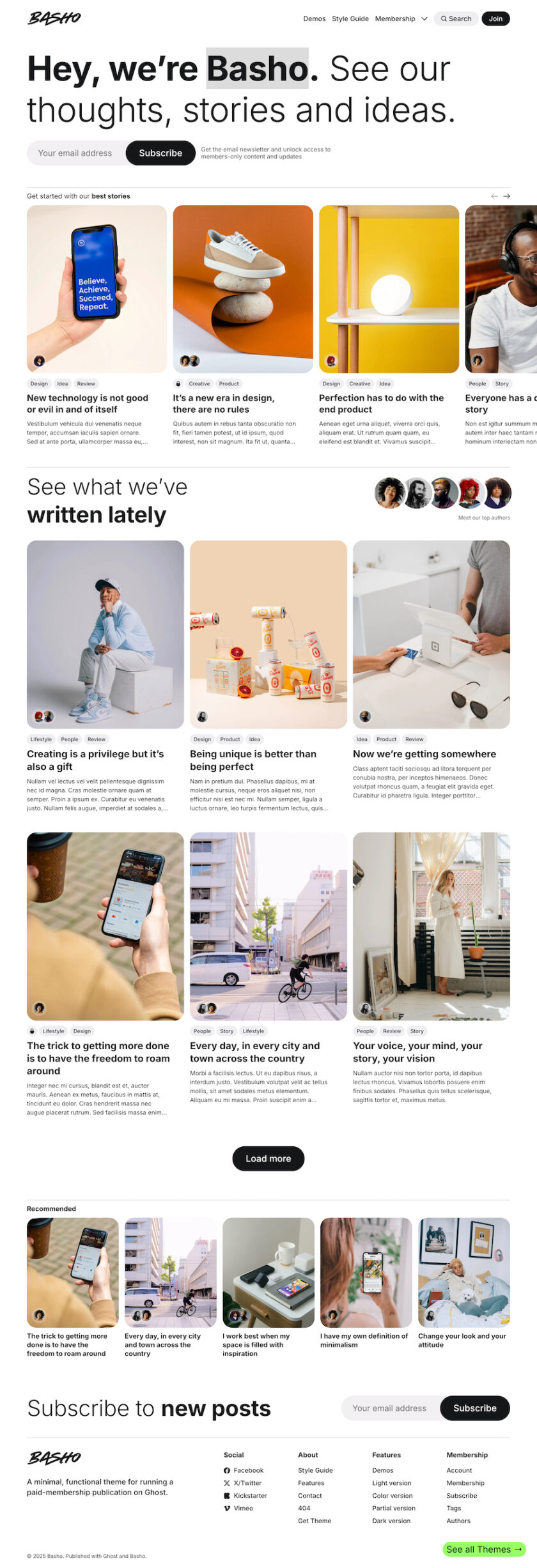
Basho
Basho infuses Ghost blogging with creative flair and modern tech-savvy design, offering lightweight, adaptable layouts for enthusiasts, portfolios, and beyond—perfect for swift, custom sites without the bloat. This responsive powerhouse leverages Ghost’s native features for seamless memberships, SEO-optimized performance, and multilingual readiness, complete with multiple demos, automatic dark mode, and…
-
How to Turn Your Ghost Blog into a Membership Site
Ghost includes everything you need to run a membership site with multiple tiers. No plugins, no third-party services, no extra fees beyond Stripe. This guide walks through every step using only native Ghost features. Step 1: Turn On Memberships Your site now supports paid subscriptions. Step 2: Create Your Tiers…
-
Pro Tip: Auto-Embed YouTube Thumbnails (Faster Load, Better UX)
Don’t embed full YouTube iframes—they slow your site to a crawl (up to 2-second delays per video). Swap them for lazy-loaded thumbnails instead: html Replace VIDEO_ID with the actual ID. The image loads instantly, and clicking plays the video in a new tab. Bonus: Add ?autoplay=1 to the link URL…
-
Add a “Reading Time” Badge to Post Headers
This quick trick adds a little “5 min read” badge next to every post title — no plugins, just one line of code. Step 1: Open Your Theme In your theme folder, open post.hbs (or article.hbs if your theme uses that). Step 2: Find the Title Line Look for something…