
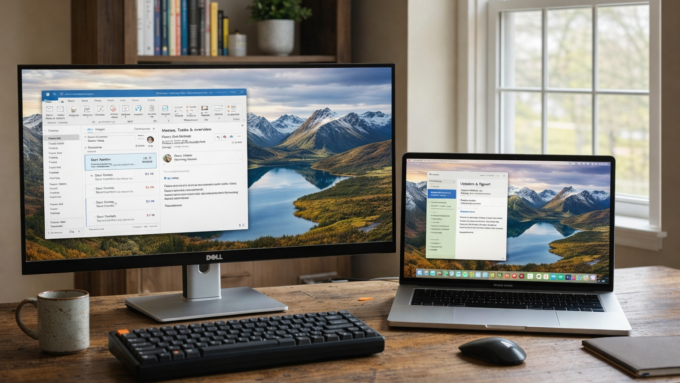
Best Desktop Email Apps for Windows and macOS Users Tired of Gmail in the Browser

Many people prefer a dedicated desktop email app over using Gmail in the browser or relying on default clients like Outlook or Apple Mail. Desktop apps often deliver better organization, offline access, customization, and privacy control while keeping your emails stored locally or synced securely.
If you need an app that works well on Windows and macOS (with strong support for both), here are some solid alternatives worth considering. These clients support popular providers including Gmail, Outlook.com, iCloud, Yahoo, and any IMAP/POP3 service.
Thunderbird: The Free, Open-Source Powerhouse
Mozilla Thunderbird stands out as one of the most reliable free options. It runs natively on Windows, macOS, and Linux.
Key features include:
- Support for unlimited email accounts in a unified inbox.
- Built-in calendar, tasks, address book, and RSS reader.
- Extensive add-ons and themes for heavy customization.
- Strong spam filtering, message rules, and tabbed email viewing.
- Focus on privacy with no built-in tracking from the developers.
Pros: Completely free with no ads or premium upsells for core features. Highly extensible and great for power users who want control. Regular updates keep it secure and capable.
Cons: The interface can feel a bit dated compared to modern apps, even after visual refreshes. Some advanced conveniences require add-ons.
Thunderbird suits users who want a no-cost, privacy-respecting client that handles multiple accounts without hassle. It works especially well if you value open-source software and do not mind tweaking settings.
Download Thunderbird here: https://www.thunderbird.net/
Mailbird: Modern and Productivity-Focused
Mailbird provides a sleek, unified workspace designed for Windows and macOS users. It emphasizes speed and simplicity over deep customization.
Key features include:
- Unified inbox for managing many accounts in one view.
- Over 30 built-in app integrations (such as Slack, WhatsApp, Todoist, and more).
- Snooze, email templates, advanced search, and keyboard shortcuts.
- Customizable interface and AI-assisted email composition in paid plans.
- Fast setup and low resource usage for smooth performance.
Pros: Clean and intuitive design that feels contemporary. Excellent for busy users who want productivity tools without switching between apps. Affordable paid plans unlock full features, with a free version available for basics.
Cons: The free tier limits some integrations and advanced options.
Mailbird works best for professionals or anyone who spends significant time in email and appreciates a polished, integration-rich experience.
Learn more and download Mailbird here: https://www.getmailbird.com/
Other Strong Options
Beyond the two highlighted apps, consider these alternatives that also support Windows and macOS:
- eM Client: Highly customizable with a free tier limited to two accounts. It includes built-in calendar, tasks, and strong encryption options. Paid one-time licenses remove limits and add features. Good balance of modern design and power tools. Visit: https://www.emclient.com/
- Mailspring: Open-source roots with a clean interface and solid free tier. It supports multiple accounts, unified views, and works on Windows, macOS, and Linux. Fast and lightweight, ideal if you want something simple yet effective. Download here: https://www.getmailspring.com/
- Spark: Smart inbox that prioritizes important messages. Available on Windows and macOS (with mobile versions too). Free tier offers generous features, while paid unlocks team collaboration and advanced AI tools. Get Spark here: https://sparkmailapp.com/
How to Choose the Right Email App
Think about your priorities before deciding:
- Budget — Thunderbird or the free tiers of Mailspring/eM Client work well if you want zero cost.
- Customization — Thunderbird excels with its add-on ecosystem.
- Modern interface and integrations — Mailbird or Spark deliver a more polished daily experience.
- Privacy and control — Open-source options like Thunderbird keep more data under your control.
Most of these clients let you connect your existing email accounts via IMAP without changing providers, so you keep your Gmail (or other) address while gaining desktop benefits like offline reading, better search, and reduced browser tab clutter.
Final Thoughts
Switching to a dedicated desktop email app can make managing inboxes faster and less distracting than browser-based Gmail or default clients. Thunderbird offers unmatched freedom and cost savings, while Mailbird provides a refined, productivity-boosting alternative focused on Windows and macOS.
Try the free versions or trials of a couple options. Setup usually takes just minutes, and most let you import existing emails and folders easily. Experiment to find the workflow that fits your style best, whether you handle personal accounts, work email, or a mix of both. A good desktop client often becomes one of those tools you wonder how you lived without.


Comments are closed.